Obsidian Property Validator
Validate your vault's frontmatter against schemas defined right inside the vault. No external config — your schema lives as YAML frontmatter in special "entity" and "property" files.
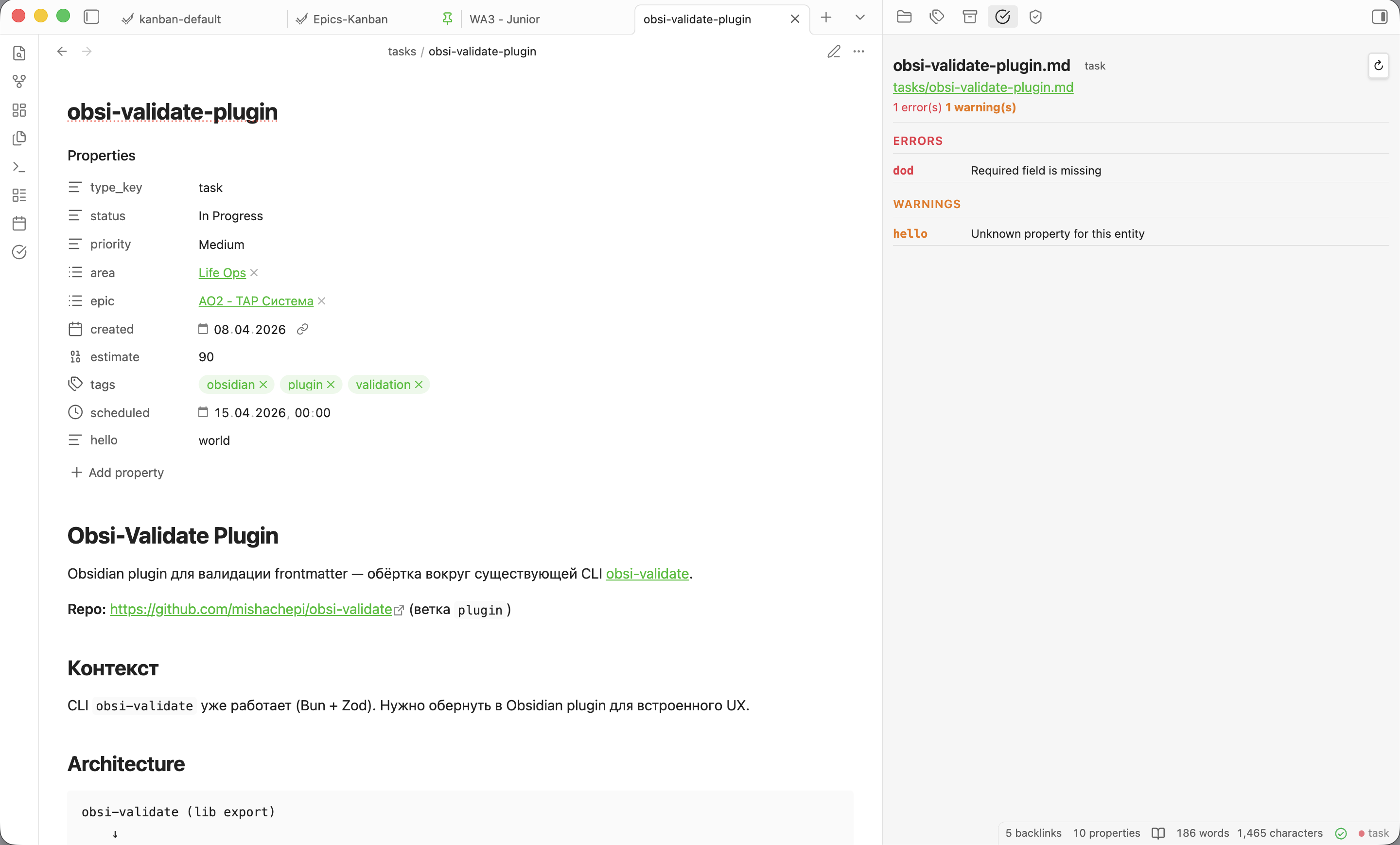
It works as an Obsidian plugin, checking notes while you edit, and as a command-line tool for git hooks, CI and scripts. Both apply the same rules and give the same verdicts.
The problem
Obsidian lets you put anything in frontmatter. That's great until your vault grows and you find:
Your Dataview queries break. Your templates assume values that don't exist. You spend time hunting down inconsistencies instead of writing.
How it works
You define two kinds of schema files — regular markdown notes in your vault:
- Entities describe note types: "a
taskhas fieldsstatus,priority,project" - Properties describe field rules: "
statusmust be one ofBacklog,In Progress,Done"
Think of it like a database
An entity is a table definition. A property is a column type. Your notes are rows.
Each note's frontmatter is checked against its entity; the plugin shows the result in the status bar and the results panel.
See Schema reference for the full format.
Key features
- Live validation — the status bar and results panel update as you edit
- Entity inheritance — extend base entities with more specific types
- Field rules — types, allowed values, ranges, required and conditionally required fields, custom JavaScript checks
- Link checks — linked notes must exist and can be required to have a type, folder or property; body wikilinks are checked too, resolved the way Obsidian resolves them
- Schema editor — create and edit entities and properties from Settings
- CLI and library — the same validation in the terminal, in CI, or from code; the schema can also be exported as mdbase JSON Schema
Quick links
- Getting started — install and create your first schema
- Configuration — plugin settings and schema management UI
- Schema reference — entity/property file format and validation logic
- CLI — command-line usage
- Architecture — data flow, modules, security
- mdbase engine — the CLI's JSON-Schema engine and
mdbase-export - Troubleshooting — common problems