Schema reference
Schema is defined in two types of files stored in your vault:
- Entities describe note types — which frontmatter fields a note should have
- Properties describe field rules — how to validate each field's value
Think of it like a database
An entity is a table definition. A property is a column type. Your notes are rows.
Directory structure
{schema_dir}/
  entities/
    task_entity.md
    structure/           # subdirectories for UI grouping
      area_entity.md
    _deprecated/         # archived — not loaded as schema (plugin and CLI alike)
  properties/
    status_property.md
    priority_property.md
    _deprecated/
_deprecated/ (any depth under entities/ or properties/) is where the plugin's
Archive action parks retired definitions. Neither the plugin (src/bridge.ts) nor the
CLI (src/walk.ts walkSchemaFiles) loads it, so an archived type produces
Unknown entity type everywhere — in the UI, in hooks and in CI. The exclusion applies to
schema discovery only: notes that happen to live in a _deprecated/ folder elsewhere in
the vault are still validated as ordinary files.
Entity files
Location: {schema_dir}/entities/**/*_entity.md
---
entity_name: task
extends: structure
properties:
  priority: { required: true }
  estimate: {}
allow_extra: false
---
| Field | Type | Default | Description |
|---|---|---|---|
entity_name |
string | from filename | Entity type identifier |
properties |
object | {} |
Field declarations |
extends |
string | — | Parent entity for inheritance |
allow_extra |
boolean | false |
Allow unlisted fields without warning |
How are entity files detected?
A file is recognized as an entity if it has entity_name or properties in frontmatter.
Properties block
Info
A property listed here doesn't need a corresponding property file — it just won't have type validation. But if a property file with the same name exists, its rules apply automatically.
Inheritance
Entities can inherit fields from a parent via extends:
flowchart LR
    A["trackable<br/>status, created, updated"] --> B["structure<br/>area, description"]
    B --> C["task<br/>priority, estimate"]
    B --> D["epic<br/>deadline"]
task gets all 7 properties: 2 own + 2 from structure + 3 from trackable. Child properties override parent's config. Circular inheritance is detected and raises an error.
Property files
Location: {schema_dir}/properties/**/*_property.md
| Field | Type | Applies to | Description |
|---|---|---|---|
property_name |
string | all | Property identifier (fallback: filename) |
property_type |
string | all | Validation type (see table below) |
allowed_values |
array | enum | Valid values |
min_value |
number | number | Minimum |
max_value |
number | number | Maximum |
unit |
string | number | Unit label (informational) |
nullable |
boolean | all | Accept null/empty values (default: false). Useful for optional dates, links, etc. |
custom_validator |
string | all | JS expression for custom validation |
target_type_key |
string/array | link, links, list | Target entity type(s) |
target_folder |
string | link, links, list | Target folder prefix |
target_has_property |
string | link, links, list | Target must have this field |
target_property_value |
object | link, links, list | {property, value} match |
How are property files detected?
A file is recognized as a property if it has property_name or property_type in frontmatter.
Supported types
| Type | Validates as | Extra constraints |
|---|---|---|
string |
String | |
number |
Number | min_value, max_value |
boolean |
true / false |
|
date |
String or Date | |
time |
String | |
datetime |
String or Date | |
enum |
One of allowed_values |
allowed_values required |
link |
Single wikilink | link constraints |
links |
Array of wikilinks | link constraints |
list |
Array of any values | |
emoji |
Single emoji character | |
any |
No shape check — string, list, mapping, scalar all pass | escape hatch for properties whose legal shape genuinely varies by record (e.g. dod: usually prose, occasionally a checklist) |
Link constraints
For link, links, and list types — constrain what linked notes must satisfy:
---
property_name: owner
property_type: link
target_type_key: person
target_folder: People/
target_has_property: email
---
Multiple target types:
How links are resolved
[[Path/Name|Alias]] becomes Path/Name, [[Note#Heading]] becomes Note. Lookup matches by basename first, then full path.
Custom validators
JS expression that receives value. Return true to pass, false or a string to fail:
Runs after type validation. Errors in the expression produce a warning, not an error.
Security
Custom validators execute JavaScript in the same trust context as your vault. Only use validators from sources you trust. See Architecture > Security.
Validation
How it works
Property Validator checks notes in three levels:
flowchart TB
    F["Note frontmatter"] --> L1
    L1["Level 1: Structure<br/>Are the fields recognized?"] --> L2
    L2["Level 2: Types<br/>Are the values correct?"] --> L3
    L3["Level 3: Constraints<br/>Links valid? Custom checks?"] --> R
    R["Result: errors + warnings"]
Entity type detection
Before validation, the plugin determines the note's entity type:
- Read the Entity field from frontmatter (default:
entity) - If present and is a string — use as entity type
- If missing — use Default entity type (if configured), otherwise skip
- If not a string (array, object) — error
Note
Schema files (entity_name or property_name in frontmatter) are always skipped.
Level 1: Structure
Checks fields against the entity's property list:
- Known field — proceed to Level 2
- Unknown field +
allow_extra: false— warning
 - Required field missing —
 error
error
Level 2: Types
Each field with a corresponding property file is checked against the property type:
- No property file — skip (field recognized but no type validation)
nullable: trueand value is null/empty — pass- Otherwise — validate against
property_type
Level 3: Constraints
Custom validators — JS expression runs with value:
| Return value | Result |
|---|---|
true |
Pass |
false |
Error: "Custom validation failed" |
| A string | Error with that message |
| Throws | Warning (not error) |
Link constraints — each link checked against target_type_key, target_folder, etc.
Errors vs warnings
| Condition | Result |
|---|---|
| Required field missing | Error |
| Type mismatch | Error |
| Link constraint failed | Error |
| Custom validator failed | Error |
| Unknown field | Warning |
| No entity field (skipped) | Warning |
| Unknown entity type | Warning |
| Custom validator threw | Warning |
Info
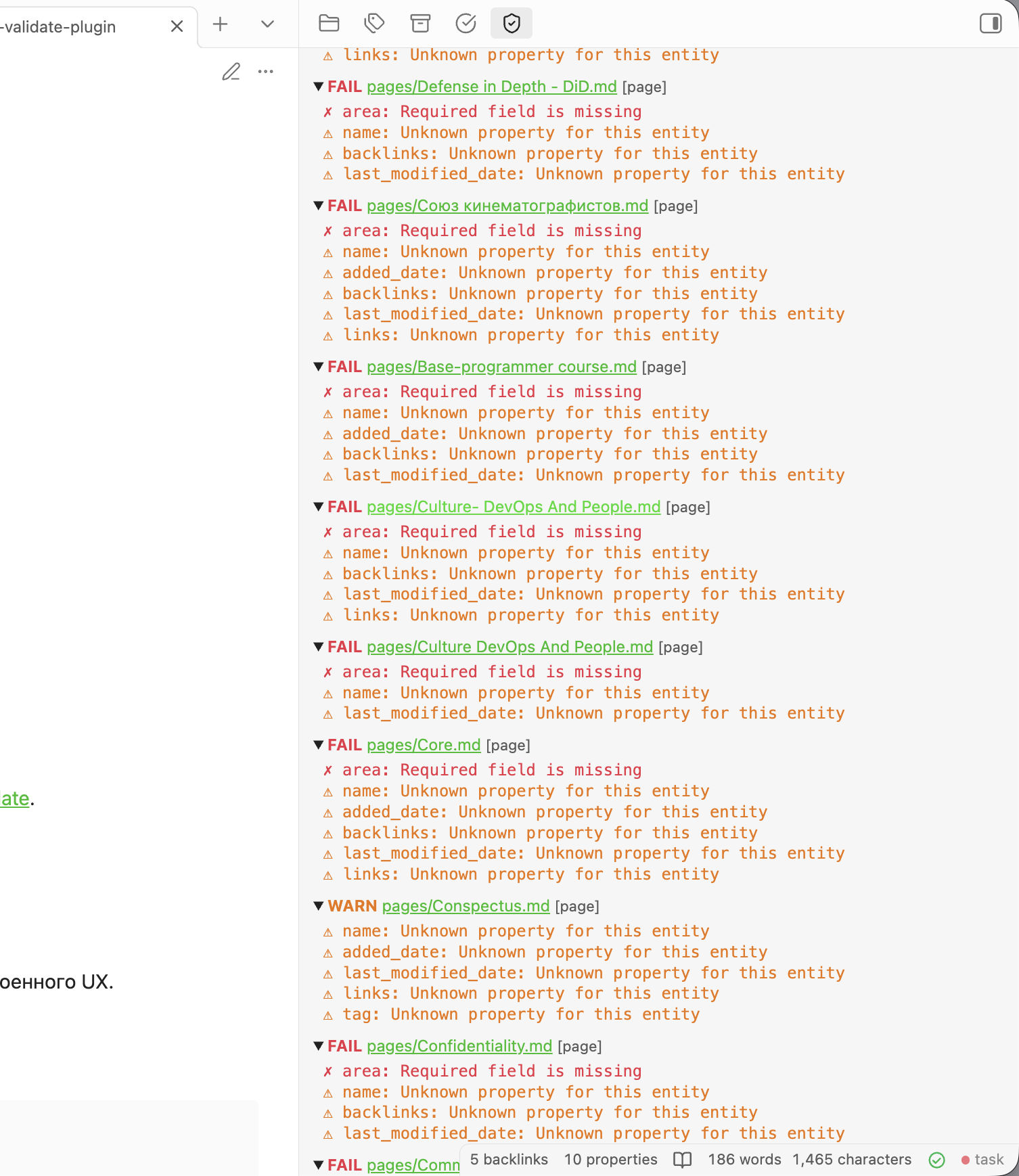
Errors block validation — the note is marked invalid. Warnings are informational and don't affect the valid/invalid status.
Vault scan
Validate vault scans all markdown files and produces a summary:
- Valid — no errors
- Invalid — has errors
- Skipped — no entity type